What Is IPTV and How Does It Work in the UK?
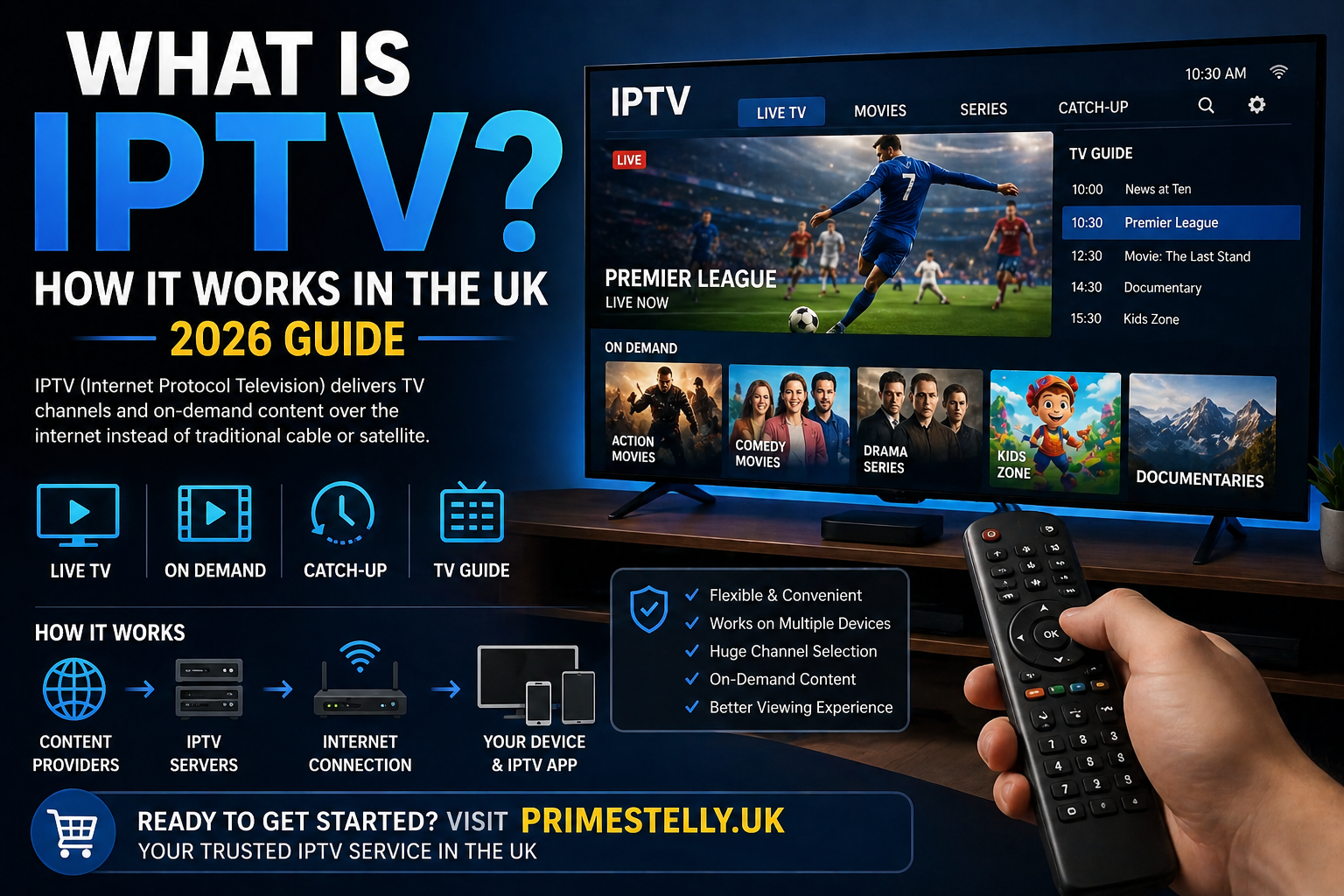
What is IPTV UK? In simple terms, IPTV means Internet Protocol Television. Instead of receiving TV through a traditional aerial, satellite dish, or cable line, IPTV delivers television and video over IP networks, which is why it is often described as TV delivered through an internet-based system. Standards documents from ETSI define IPTV as Internet Protocol Television, and the FCC describes it as television delivered over a managed two-way IP network. (ETSI) That is why IPTV matters so much in 2026. It fits the way people already watch content: on Smart TVs, Fire TV devices, Android TV boxes, tablets, phones, and computers. Amazon’s Fire TV ecosystem supports apps across Fire TV models, Android TV is Google’s TV operating system for smart TVs and streaming devices, and Samsung says Tizen powers its Smart TVs. (Amazon) For UK viewers, the appeal is clear. IPTV can feel more flexible than traditional TV because it lets you watch across devices, switch apps quickly, and organise content in a way that suits your routine. If you are already comparing providers, start with this IPTV UK. If you want device help after this guide, you can also read how to set up IPTV on Firestick in the UK and how to install IPTV on Smart TV in the UK. What IPTV Actually Means The word IPTV can sound technical at first, but the idea is simple. “IP” stands for Internet Protocol, which is the standard method devices use to send and receive data over networks. So when people say IPTV, they mean television and video delivered as network data instead of through older broadcast methods. ETSI and FCC references both describe IPTV in that basic internet-delivered sense. (ETSI) This is also why IPTV is often confused with general streaming. They are closely related, but people usually use the word IPTV when they mean a service or setup that includes live channels, on-demand content, channel categories, and often an EPG or TV guide interface. In other words, IPTV usually feels more like a modern TV environment, while general streaming might mean individual apps for movies, shows, or live events. How Does IPTV Work? At a basic level, IPTV works by sending video across IP networks to your device or app. Your television, streaming stick, app, or set-top box receives that video data, decodes it, and displays it as live channels or on-demand content. That is why your device, app quality, and internet stability all matter so much. ETSI standards and IETF material both describe IPTV as video delivery over IP-based networks and protocols. (ETSI) From the user side, the process usually looks like this: So even though the underlying technology is technical, the viewing experience can feel very simple once everything is set up correctly. What Makes IPTV Different from Cable or Satellite? Traditional cable and satellite systems send television through dedicated broadcast infrastructure. IPTV, by contrast, sends TV through IP-based delivery. That difference is the reason IPTV often feels more flexible. It works naturally with app ecosystems, smart interfaces, search tools, account-based logins, and device portability. The FCC’s description of IPTV as television delivered over managed IP networks highlights that core difference from older delivery systems. (FCC Docs) For the user, the practical differences are usually these: That last point matters. IPTV is convenient, but it is also more dependent on your connection than older fixed broadcast methods. Therefore, choosing a reliable IPTV Canada provider is important if you want smoother and more stable streaming. Types of IPTV Services When people ask what is IPTV UK, they are usually talking about one or more of these viewing types. Live TV Live TV is the most familiar format. You open a channel and watch whatever is currently being broadcast, just like traditional television. This is the format most people picture first when they think about IPTV. Video on Demand Video on Demand, or VOD, means you choose content from a library and start it when you want. That gives IPTV a more flexible feel because it combines live viewing with on-demand access. Catch-Up TV Catch-up lets you watch programmes after the original live broadcast window, assuming the app or service supports it. That can be very useful if you miss a programme and want to watch later from within the same interface. Time-Shifted Viewing Time-shifted viewing is broader than catch-up. It refers to watching content at a different time from the original broadcast, often through pause, restart, replay, or archive features. These terms show why IPTV often feels more modern than older TV systems. It is not just about channel delivery. It is also about how content is organised and accessed. What Devices Can You Use for IPTV? One of the biggest reasons IPTV has grown is device flexibility. You do not need one single type of hardware. Fire TV and Firestick Amazon offers Fire TV devices and an app ecosystem across Fire TV models, and Amazon’s developer documentation says Fire OS is a fork of Android. That is one reason Fire TV devices are so widely used for app-based TV viewing. (Developer Portal Master) Android TV and Google TV devices Google describes Android TV as its operating system for smart TVs and streaming devices. Sony also says its Android TVs have been part of its line-up since 2015, with Google TV models introduced in 2021. (Android) Smart TVs Samsung says Tizen powers all Samsung Smart TVs, while LG describes webOS as a TV environment built to be easy to use. Sony’s current TV range also includes Google TV models. (Samsung) Phones, tablets, and computers Many streaming services and video apps now work across mobile devices and computers, not just TVs. Netflix, for example, documents support across smart TVs, game consoles, streaming players, smartphones, tablets, and browsers. That same cross-device pattern is one reason IPTV setups are appealing to users who want flexibility. (Netflix Help Center) Because of that device range, IPTV can fit almost any home setup. Some users prefer a living-room TV experience. Others